Dynamic image building gives users the ability to build and share their own environments from the JupyterHub UI, powered by BinderHub.
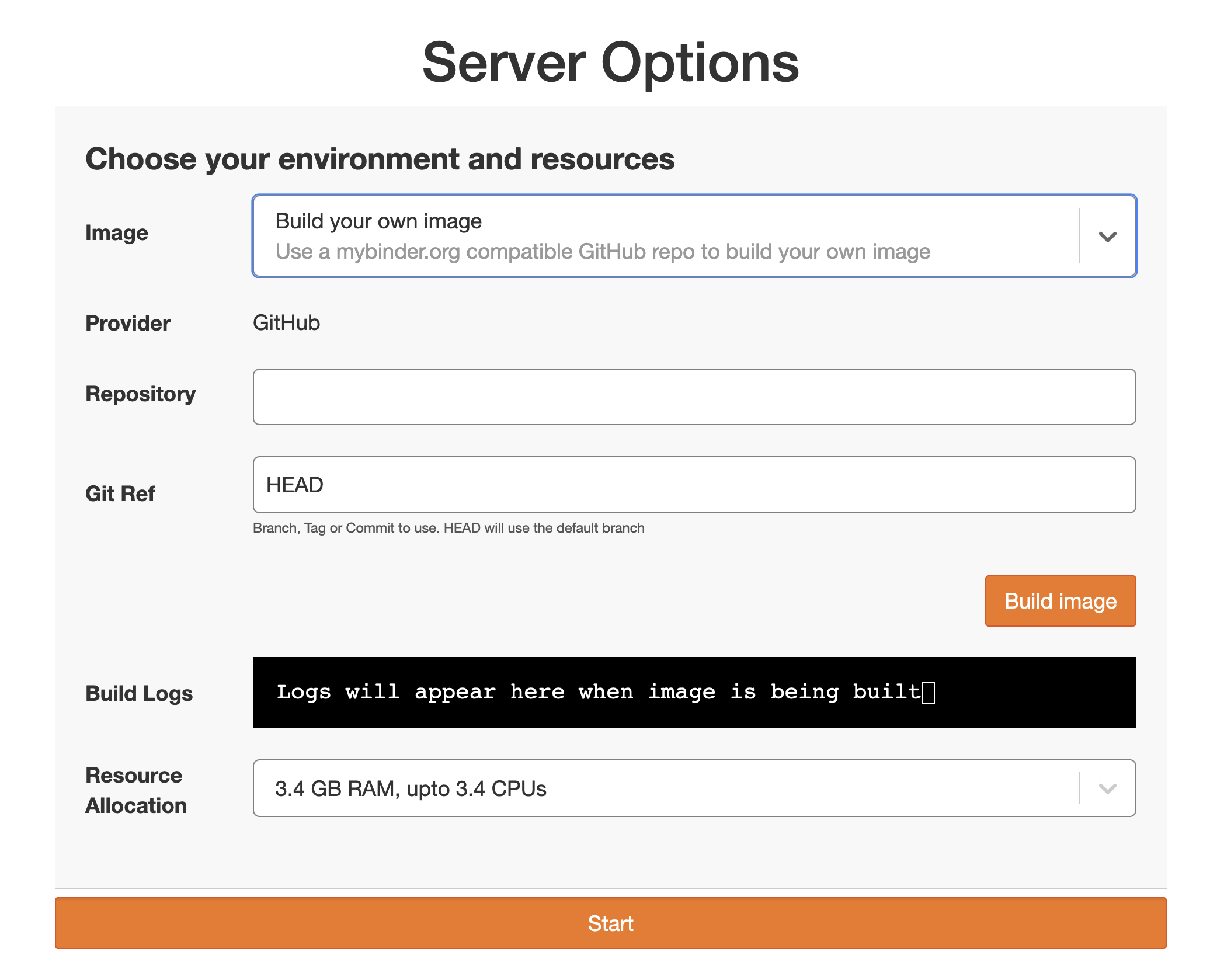
The Fancy Profiles UI with dynamic image building enabled.
When enabled, users can:
Provide a link to a GitHub repository
Wait for BinderHub to build an image from that repository
Launch their server with the freshly built image
Setup
Dynamic image building requires two components:
A BinderHub service configured in your JupyterHub
The
dynamic_image_buildingflag enabled in your profile options
BinderHub service
Configure BinderHub as a JupyterHub service:
c.JupyterHub.services = [
    {
        "name": "binder",
        "url": "http://localhost:8585",
        "command": ["python", "-m", "binderhub", "-f", "binderhub_config.py"],
        "oauth_client_id": "service-binderhub",
        "oauth_no_confirm": True,
        "oauth_redirect_uri": "http://localhost:8585/oauth_callback",
    }
]
Profile configuration
Enable the dynamic_image_building flag in your profile’s image option:
"image": {
    "display_name": "Image",
    "dynamic_image_building": {"enabled": True},
    "choices": {},
    "unlisted_choice": {
        "enabled": True,
        "display_name": "Docker image",
        "display_name_in_choices": "Other...",
        "kubespawner_override": {"image": "{value}"},
    },
}
Example configurations
The repository includes working example configurations for local development:
jupyterhub_config.py— shows how to configure BinderHub as a JupyterHub service and enable thedynamic_image_buildingflagbinderhub_config.py— basic BinderHub configuration for local development
When to use this vs. the BinderHub UI
Use jupyterhub-fancy-profiles with BinderHub integration when you’re building a persistent JupyterHub with:
Persistent home directories
Multiple profile options
Strong access control
User authentication
Use the standard BinderHub UI when you’re building an ephemeral hub where:
Users click a link for immediate, temporary access
No persistent storage is needed
Sessions are short-lived
Anonymous or lightweight auth is sufficient